Drive north from Pune on the old Nashik highway and you pass one of the densest manufacturing corridors in the country. Volkswagen, Mercedes-Benz and Mahindra all build vehicles in Chakan. Bajaj Auto and Tata Motors have been in Akurdi and Pimpri for decades. Around them sits everything else, roughly 4,000 automobile and auto component units across the Pune region, most of them small and mid-sized suppliers feeding the big plants. Maharashtra accounts for about a third of India’s automotive production, and a large share of that runs through this belt.
Almost none of those companies have a mobile app worth the name.
That’s not a criticism. Most of them run perfectly good businesses on ERP systems, spreadsheets and paper. But the pressure is changing. OEMs want traceability that goes deeper than a batch card. Audits want records that can’t be quietly rewritten. Plant heads want to see yesterday’s rejection numbers without waiting for someone to type them in. And the workforce that used to be comfortable with paper now carries a smartphone in every pocket.
We build apps out of Pune, and a growing share of what comes to us now is factory work rather than consumer products. This is what we’ve learned about it.
If you have never commissioned software before, our step by step guide to building an app covers the general shape. What follows is the parts that are specific to a plant, and most of them are not in any general guide.
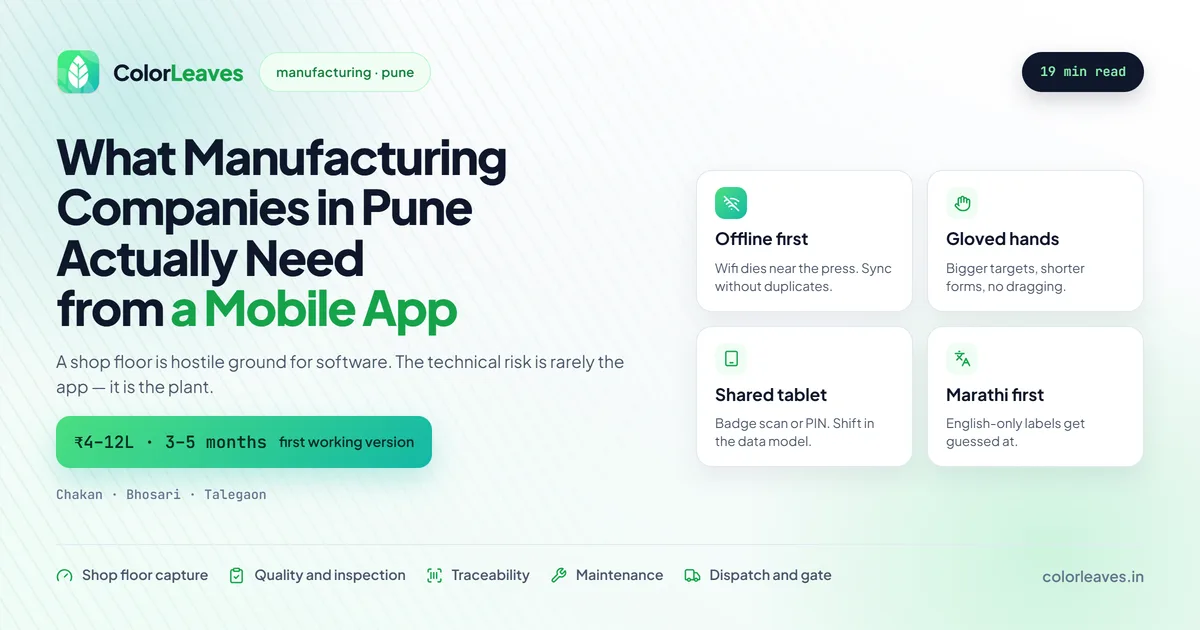
Key Takeaway: Manufacturing apps in Pune usually start with one narrow job, shop floor data capture or quality inspection, and cost ₹4 to 12 lakhs for a first working version in 3 to 5 months. The technical risk is rarely the app. It’s the offline behaviour, the shared devices, the language, and whatever your ERP will or won’t let you talk to.
The Five Apps Pune Manufacturers Actually Ask For
Over the last few years the requests have clustered into a handful of shapes. Almost every enquiry we get from the Chakan and Bhosari belt is one of these.
Shop floor data capture. Production counts, downtime reasons, rejection tallies, entered at the machine as they happen instead of on a sheet that gets keyed into the ERP the next morning. This is the single most common first project, and it’s usually the one with the fastest payback. When a supervisor can see actual output against target at eleven in the morning rather than at nine the next day, decisions change.
Quality and inspection. First article inspection, in-process checks, final inspection, with photos attached to the record. If you’re supplying an OEM under IATF 16949 you already do all of this. The app just makes the record searchable, timestamped and hard to backdate, which is exactly what an auditor wants and exactly what a paper file can’t give them.
Traceability. Scan a barcode or QR at each stage and know, months later, which lot went into which assembly on which shift. Nobody wants to think about recalls. The companies that build this are the ones who’ve been asked awkward questions by a customer and had to spend a week in the records room.
Scanning deserves a flag here, because it is the one place a cross-platform build can disappoint if nobody checks. Speed on a cheap tablet under poor lighting is a real engineering problem, and it needs testing on your actual hardware rather than a demo on somebody’s phone. Both Flutter and React Native handle it well with the right library and badly with the wrong one, so ask to see it working on your devices before you commit.
Maintenance. Preventive maintenance checklists that an operator can tick off at the machine, plus breakdown reporting that reaches the maintenance team the moment something stops rather than after someone walks across the plant to find them.
Dispatch and gate. Vehicle in and out, weighbridge, e-way bill, driver details, dispatch confirmation. Less glamorous than the rest and often the one that saves the most arguing with customers about what left when.
Notice what isn’t on that list. Nobody in this sector opens with “we want a customer-facing app”. These are internal tools that do one job for a specific group of people who are already at work when they use them.
That changes the economics in your favour. You are not fighting for installs, competing on store ranking, or paying to acquire users, which is where a large share of a consumer app budget disappears. Our app development cost guide for India covers the general ranges, and factory apps sit at the lower end of them for a build of equivalent complexity, because a great deal of what makes consumer apps expensive simply does not apply.
Why a Factory App Is Nothing Like a Consumer App
This is the part that catches out development teams who’ve only built consumer products. A shop floor is a genuinely hostile environment for software, and the assumptions that hold on a phone in a coffee shop fall apart on a plant floor in Talegaon.
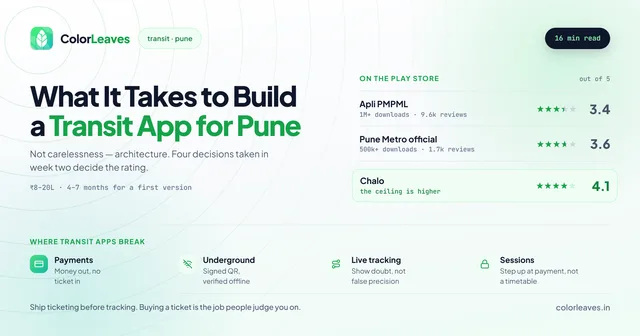
The network will fail. Plants are steel structures full of machinery. Wifi dies in corners, basements and anywhere near a large press. Mobile data is patchy inside a shed. So the app has to work fully offline, store everything locally, and sync when it can, without ever losing an entry or creating a duplicate when the connection flickers back. If offline sync is an afterthought in the build, the app will be abandoned inside a month. We treat it as the first thing to design, not the last. The same problem shows up in Pune’s transit apps, where a metro ticket has to work underground with no signal at all.
Nobody has clean hands. Operators wear gloves. Screens get oil on them. Touch targets that look generous in a design file are fiddly when someone is wearing a nitrile glove and standing at a machine. Buttons get bigger, forms get shorter, and anything requiring precise dragging gets cut. This is a design problem before an engineering one, and it is the reason a designer who has never stood on a shop floor will produce something that tests beautifully and fails in use.
The device is shared, and that breaks your login. Consumer apps assume one person, one device, one account. A plant assumes one tablet mounted on a line, used by three shifts and a dozen operators. Personal logins with passwords fail here immediately because nobody will type a password forty times a shift. What works is a fast identity switch, usually a badge scan or a short PIN, with the app knowing which shift is running. Shift awareness has to sit in the data model from the start. Retrofitting it later is painful.
Your operators may not read English. This one matters more in Pune than people outside the region assume. The engineers and managers are comfortable in English. The operators on the line are often far more comfortable in Marathi or Hindi. An app whose error messages and field labels are English-only will be used wrong, not because anyone is careless, but because they’re guessing. Building for Marathi from the start costs very little. Adding it after launch means revisiting every screen.
The devices are cheap and old. These apps run on budget Android tablets and entry-level phones bought in bulk, not on the latest hardware. That constrains what you can do with animations, camera processing and memory. It’s also why most of this work ends up on Android or on a cross-platform build rather than anything iOS-first. Buy the tablets before development finishes and test on those exact units, because our piece on Android device fragmentation applies with more force here than almost anywhere: you know precisely which hardware your users have, which is a luxury, and there is no excuse for not testing on it.
There is one more device problem specific to fixed installations. A tablet mounted on a line and left plugged in permanently will have its battery destroyed inside a year, and aggressive manufacturer power management will still try to kill your background sync while it charges. Both are solvable, both need planning, and neither appears in anybody’s requirements document.
Getting the App Onto Twelve Tablets, and Updated
Barely discussed and it catches every first-time factory project.
An internal app is not on the Play Store, so how does it reach the devices, and how does version two reach them next month? Sideloading an APK onto twelve tablets by hand works exactly once. By the third update somebody has missed one, and now two shifts are entering data against different validation rules.
Three workable routes. Google Play’s private app publishing lets you distribute through the Play Store to your own organisation only, which gives you automatic updates and the account setup our Play Console guide covers. A mobile device management tool pushes apps, locks tablets into kiosk mode so operators cannot wander into a browser, and lets you wipe a device that walks out of the plant. Firebase App Distribution is the cheap option during development and pilot, before you commit to either.
Kiosk mode matters more than it sounds. A shared tablet with an open home screen becomes a device somebody watches videos on during a quiet hour, and then the battery is flat when the shift changes.
Whatever you choose, decide it before the build finishes rather than during rollout week. Ask any developer you are evaluating how they plan to distribute and update the app. Vague answers here mean they have not done this before.
The ERP Question, Which Is Usually the Real Project
Every one of these conversations arrives at the same place. The app needs data that lives in SAP, or Tally, or a custom system some consultant wrote in 2011 and nobody has touched since.
Here’s the honest position. If your ERP has a documented API and someone in-house who can authorise access, integration is straightforward and adds a few weeks. If it’s an on-premise system with no API, sitting on a server in a locked room, the integration becomes the larger half of the project. Scope it as its own piece of work with its own estimate rather than folding it into the app, because an unknown wrapped inside a fixed price is how both sides end up unhappy. Our development timeline guide covers where integration work sits in a schedule. Sometimes the sensible answer is a middleware layer that reads and writes through a database view or a scheduled file exchange. It isn’t elegant. It works, and it doesn’t require replacing a system your entire business runs on.
What we’d push back on is the instinct to make the app write directly into the ERP on day one. Start by having the app own its own data and export cleanly. Prove the capture works and that people use it. Then wire the integration once you know the workflow is right, rather than building a two-way sync into a process that changes three weeks after launch.
Who Can See Your Plant Data
Worth a section because factory data is more sensitive than most people treat it, and the sensitivity runs in two directions.
Commercially. Production volumes, rejection rates, cycle times and customer lot data are the numbers your competitors would most like to have, and several of them are covered by confidentiality clauses in your OEM contracts. If an outside team is building this, they will handle that data during development and support. Developers should work against synthetic or anonymised records by default, production access should be named and time-limited rather than a shared login, and the servers should sit in accounts your company owns so you can revoke access unilaterally. Our contract checklist covers the clauses that formalise this, and who owns your code covers the repository and account side.
Toward your workforce. A shop floor capture app records who did what and when, which is genuinely useful for traceability and is also personal data under India’s Digital Personal Data Protection Act. Be deliberate about what you collect, how long you keep it, and who can see individual-level output rather than line-level output. There is also a practical reason beyond compliance: an app that operators believe exists to monitor them individually gets used badly, and the data quality suffers accordingly. Framing matters, and so does actually restricting the individual view to the people who need it.
Should You Build It or Buy Something Off the Shelf?
Buy, if what you need is genuinely standard. There are decent MES and maintenance products on the market, and if your process fits one of them, a licence beats a build on both cost and time.
Build, when the answer to “can we change our process to match the software” is no. That’s more common in this sector than in most, because a lot of what makes a component supplier competitive is a specific way of working that took fifteen years to get right. Bending that to fit a generic product usually costs more than the licence saves.
The middle path that works well for smaller suppliers: buy the heavy system, build a thin app on top for the specific thing your people do at the machine. You get the standard back end and an interface that matches how your plant actually runs.
What It Costs and How Long It Takes
Numbers first, caveats after.
| Project | What it covers | Typical cost | Timeline |
|---|---|---|---|
| Single-purpose capture app | One workflow, offline, basic reporting | ₹4 to 7 lakhs | 2 to 3 months |
| Quality and inspection app | Checklists, photos, audit trail, exports | ₹6 to 10 lakhs | 3 to 4 months |
| Traceability with scanning | Barcode or QR at multiple stages, lot genealogy | ₹8 to 15 lakhs | 4 to 6 months |
| Multi-module plant app | Production, quality, maintenance, dashboards | ₹15 to 30 lakhs | 6 to 9 months |
| ERP integration | Added to any of the above | ₹2 to 8 lakhs | 3 to 10 weeks |
The range on ERP integration is wide for the reason described above. A modern system with an API sits at the bottom. A legacy on-premise install with no documentation sits at the top, and occasionally above it.
Two costs that get forgotten. Devices, because a tablet at each of twelve stations plus mounts and cases is a real line item. And ongoing maintenance, because Android updates, device replacements and process changes all need attention after launch. Budget for it rather than being surprised by it.
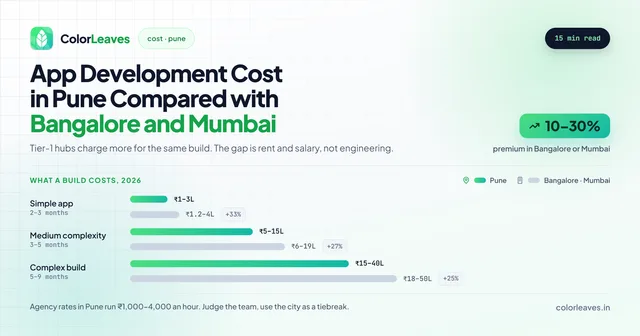
If you want the wider picture on pricing, our guide to app development cost in India covers the general ranges, and we’ve compared Pune against Bangalore and Mumbai if you’re weighing quotes from different cities. For how the phases break down week by week, see our app development timeline guide.
Start Narrower Than You Think
The most common mistake we see is scoping the whole plant at once. Production, quality, maintenance, dispatch, dashboards for management, all in release one. These projects run long, and by the time they land, half the requirements have moved.
Pick the one process where the current pain is sharpest and the measurement is clearest. Usually that’s downtime capture or rejection tracking, because both produce a number your plant head already cares about. Build that, put it on the floor, and watch what people actually do with it. You’ll learn more in three weeks of real use than in three months of requirement workshops. That’s the same logic behind an MVP build, applied to a factory instead of a startup, and our MVP costing guide covers how to scope one that answers a question.
Rolling It Out Is Half the Project
The apps that fail on shop floors mostly do not fail technically. They fail because nobody used them, and that outcome is decided in the four weeks around launch rather than in the code.
Pilot on one line, not the whole plant. One line, one shift, for two to three weeks. You will find things no requirement workshop would have surfaced, and fixing them on one line is cheap. Getting builds in front of that shift early is the same discipline as running a proper beta on a consumer product, and it works for the same reason.
Recruit a supervisor who wants it to work. Every plant has somebody frustrated enough with the current paperwork to champion a replacement. Find that person before you write a line of code and involve them throughout. Their endorsement moves the floor in a way a management directive does not.
Run parallel briefly, then stop. A short overlap where both paper and app are used builds confidence. A long one guarantees failure, because when both exist people use the one they know and you get incomplete data in the app plus a reason to abandon it.
Train at the machine, in fifteen minutes. Not a classroom, not a manual. If the app needs more than fifteen minutes of explanation, the app is wrong and no amount of training fixes that.
Show the floor the output. The single biggest driver of sustained use is operators seeing that the data goes somewhere. A screen showing today’s line performance, visible where they work, converts data entry from an imposition into something with a point. It is usually a small addition to the build and it does more for adoption than any feature on the requirements list, which is worth remembering when scope gets trimmed. Whoever handles your ongoing support should also be watching whether usage holds up after the first month, because a quiet decline is the early sign that something on the floor stopped working.
Plan for the supervisor who resists. Somebody will, usually because the current opacity suits them or because they genuinely think it will slow the line. Neither is stupid. Address it directly rather than escalating, and if the concern is speed, time the task both ways in front of them.
Common Questions
Will the app work if our plant wifi drops? It has to, and that’s a design decision made at the start. Everything gets stored on the device and syncs when a connection returns, with conflict handling so two operators entering data during an outage don’t overwrite each other. Ask any developer you’re evaluating how they handle sync conflicts. The quality of that answer tells you a lot.
Can it talk to our SAP system? Usually yes, and the difficulty depends on your setup rather than on the app. Modern SAP with an integration layer is routine. Older on-premise installations need a middleware approach. Either way, get your IT team or your SAP partner into the conversation early, because access approval often takes longer than the technical work.
Our operators aren’t comfortable with English. Is that a problem? No, as long as it’s planned for. Marathi and Hindi interfaces are straightforward when built in from the start. The thing to avoid is launching in English with a promise to translate later.
Do we need rugged tablets or will normal ones do? Normal consumer tablets in a good protective case handle most environments fine. Genuinely rugged hardware is worth it near heavy machinery, in wash-down areas, or anywhere with a lot of metal dust. Start with the cheaper option in most stations and upgrade the few that need it.
How long before we see anything useful? For a single-workflow app, expect something on the floor in two to three months. We’d usually put a rough version in front of operators well before that, because their reaction to a real screen is worth more than any specification document. Our walkthrough of the development process covers how those phases sequence.
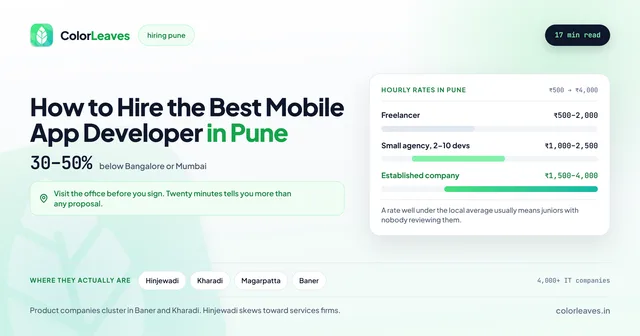
Who should build it, an agency or our own team? Most manufacturers this size do not want to run a software team, and a two-person in-house group is a single point of failure on something the plant depends on. An agency with a defined support arrangement usually fits better. If you do want people of your own, hiring an app developer in Pune covers the local market and our interview questions cover screening for somebody who can maintain rather than only build.
We’re a tier-2 supplier with 60 people. Is this worth it for us? Often more worth it than for a large plant, because you have fewer systems to work around and decisions happen faster. The projects that go badly are rarely the small ones.
Building It with a Team That’s Local
There’s a practical argument for working with a development team in Pune on a project like this, and it isn’t about price. Factory apps need people on the floor. Watching an operator use a screen with gloves on, seeing where the wifi dies, sitting through a shift handover. That’s difficult to do from another city and impossible to do over a video call.
We’re based in Pune and we’ve built apps for companies across the region, from the industrial belt around Chakan and Bhosari out to Talegaon. You can see the kind of work we take on in our portfolio, including a recent React Native build where handling real-time data correctly was most of the project.
If dispatch and logistics are part of what you need, that shades into on-demand territory, where driver tracking and route handling bring their own problems, and our on-demand cost guide covers them.
If you’re weighing up a factory app, whether that’s shop floor capture, quality, traceability or something specific to how your plant runs, get in touch and we’ll give you a straight assessment of what it would take. If you’re still choosing a partner, our guide on how to choose a mobile app development company covers what to check before you sign.