A good mobile app takes more than code. It takes a clear process that carries your idea from a rough concept to a finished product people actually use. This guide walks through every phase of that process, with the lessons we’ve picked up shipping 50+ apps.
It’s written for the person paying for the build rather than the person doing it. If you have never commissioned software before, our step by step guide to building an app is a gentler entry point, and the realistic timeline guide covers where the weeks actually go once work starts.
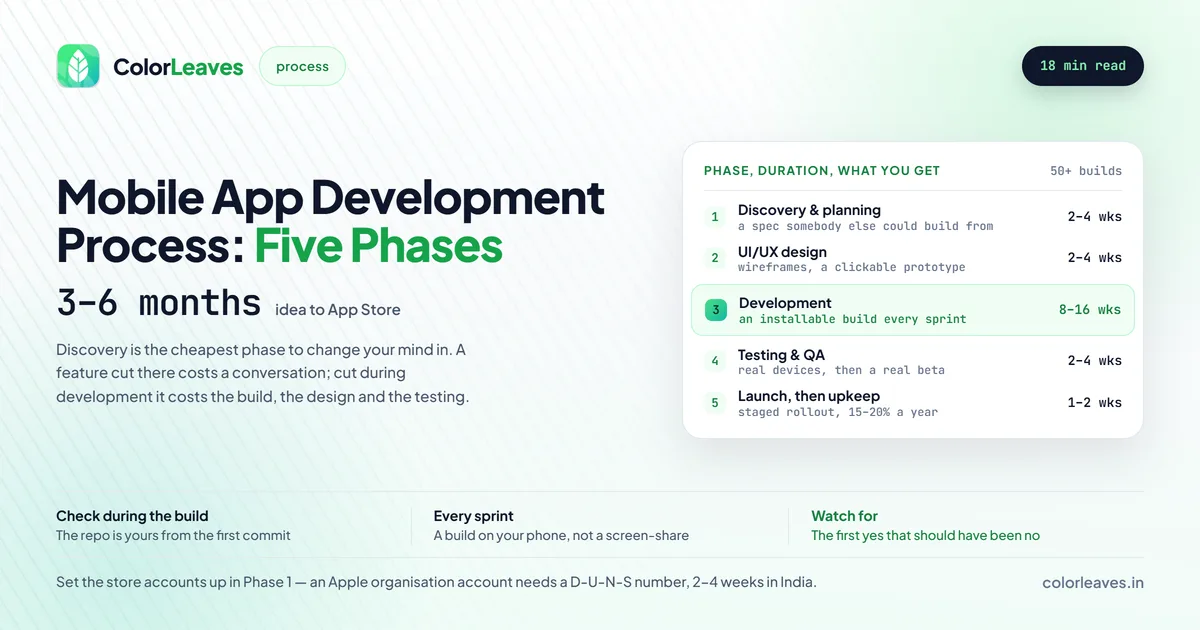
Key Takeaway: Mobile app development moves through five phases: discovery and planning, UI/UX design, development, testing and QA, then launch and post-launch support. Most apps take 3 to 6 months from idea to App Store.
Overview of the App Development Lifecycle
App development breaks into five main phases:
- Discovery & Planning (2-4 weeks)
- UI/UX Design (2-4 weeks)
- Development (8-16 weeks)
- Testing & QA (2-4 weeks)
- Launch & Post-Launch (Ongoing)
Total timeline: 3 to 6 months for most apps
Here’s each phase up close.
Phase 1: Discovery & Planning
This first phase sets the direction for everything that follows. Skip it or rush it, and you’ve got one of the most common reasons projects fail.
It is also the cheapest phase to change your mind in. A feature removed during discovery costs a conversation. The same feature removed during development costs the build, the design and the testing that went into it. Teams that resent spending three weeks here usually spend considerably more than three weeks later making up for it.
The output that matters is a specification somebody who was not in the room could build from. If your platform is still undecided at the end of it, discovery has not finished: Android, iOS and cross-platform builds are scoped differently, staffed differently and cost differently, so everything downstream depends on that answer.
Key Activities
1.1 Stakeholder Interviews Understanding your business objectives:
- What problem does the app solve?
- Who is the target audience?
- What are the success metrics?
- What’s the budget and timeline?
- Who are the key decision-makers?
1.2 Market Research Analyzing the competitive landscape:
- Identify similar apps in the market
- Analyze competitor strengths and weaknesses
- Look for gaps and opportunities
- Understand market trends
- Review app store rankings and reviews
1.3 User Research Understanding your target users:
- Create user personas
- Map user journeys
- Identify pain points
- Understand usage context
- Define user expectations
1.4 Requirements Documentation Capturing what needs to be built:
- Functional requirements (features)
- Non-functional requirements (performance, security)
- Technical requirements (platforms, integrations)
- Content requirements
- Compliance requirements
1.5 Technical Assessment Planning the technical approach:
- Platform selection (Android, iOS, cross-platform)
- Technology stack decisions
- Third-party integration needs
- Backend architecture
- Security considerations
Deliverables
At the end of this phase, you should have:
- Project brief document
- User personas and journey maps
- Feature list with priorities
- Technical architecture overview
- Project timeline and milestones
- Detailed cost estimate
Timeline
2 to 4 weeks, depending on how complex the project is
Two Decisions Worth Making Here
Most of discovery is gathering. Two things are actual decisions, and both get more expensive the longer they wait.
Which platform, and in what order. Building both at once doubles the surface area you have to test and support. Android or iOS first settles the native version of this on revenue rather than preference, and choosing a mobile platform covers the wider question including whether cross-platform suits you at all. If it does, Flutter versus React Native is the next fork.
What regulation applies. This sits in the requirements list above as one bullet and it deserves more, because in some categories compliance shapes the architecture rather than sitting on top of it. A fintech product carries RBI obligations and data localisation. A healthcare app carries consent and retention rules that change your database design. Anything aimed at under-18s brings verifiable parental consent. Find this out in week two, not month four.
Common Mistakes to Avoid
- Starting development without clear requirements
- Ignoring user research
- Underestimating scope and complexity
- Not involving key stakeholders early
- Setting unrealistic timelines
The first one causes the rest. A requirements document written in categories rather than behaviours is not a specification, and “user management” is a category. If the document cannot be turned into tickets without another round of conversation, discovery is not finished no matter what the calendar says. This is also where fixed-price quotes go wrong, since a fixed price is only fixed against a fixed scope, which our contract checklist covers alongside how change requests should be priced.
If budget rather than time is the constraint, scoping deliberately as an MVP is the honest version of cutting corners. Ship less, properly, rather than everything, badly. Our MVP development page covers how those builds run.
Phase 2: UI/UX Design
Design is where your app takes visual shape. It’s not about looking pretty. It’s about an interface people understand without thinking. This phase matters enough that a lot of businesses bring in a team focused on mobile app UI/UX design so their app holds its own against the competition.
Key Activities
2.1 Information Architecture Organizing the app structure:
- Define navigation patterns
- Create sitemap/app map
- Plan screen hierarchy
- Map user flows
- Define content structure
2.2 Wireframing Creating low-fidelity layouts:
- Sketch screen layouts
- Define element placement
- Map interactions
- Review with stakeholders
- Iterate based on feedback
2.3 Visual Design Creating the look and feel:
- Develop style guide
- Design UI components
- Create screen designs
- Apply brand guidelines
- Design for accessibility
2.4 Prototyping Making designs interactive:
- Build clickable prototypes
- Simulate user flows
- Test with real users
- Gather feedback
- Refine designs
2.5 Design Handoff Preparing designs for development:
- Create design specifications
- Export assets
- Document interactions
- Prepare component library
- Set up design-developer collaboration
Platform-Specific Considerations
For Android:
- Follow Material Design guidelines
- Design for various screen densities
- Consider Android navigation patterns
- Account for device diversity
For iOS:
- Follow Human Interface Guidelines
- Design for iPhone and iPad
- Use SF Symbols and system fonts
- Consider notch and safe areas
Deliverables
- Wireframes for all screens
- High-fidelity UI designs
- Interactive prototype
- Style guide and component library
- Design specifications
- Asset exports
Timeline
2 to 4 weeks
Design Best Practices
- Design mobile-first
- Keep it simple and intuitive
- Maintain visual consistency
- Design for accessibility
- Test designs with users early
One practical addition to that list. Ask your designer for the smallest screen you intend to support rather than the prettiest. A layout that survives a 5 inch display at 320dp wide works everywhere above it, and the reverse is not true. This matters more than teams expect in India, where a large share of users are on budget Android hardware that our piece on device fragmentation covers in detail.
Agree how many rounds of revision are included before design starts. It is the easiest part of a project to iterate on forever and it is routinely quoted as though it will be settled in one pass. Two rounds plus a final polish is a normal shape, and writing it down protects both sides.
Phase 3: Development
This is where the app gets built. Development is usually the longest phase, and it needs tight coordination across the team.
Key Activities
3.1 Project Setup Establishing the development environment:
- Set up version control (Git)
- Configure development tools
- Establish coding standards
- Set up CI/CD pipeline
- Create project structure
3.2 Backend Development Building the server-side infrastructure:
- Design database schema
- Develop APIs
- Implement authentication
- Set up hosting and servers
- Configure security
3.3 Frontend Development Building the user interface:
- Implement UI designs
- Build navigation
- Integrate with backend
- Handle data management
- Implement offline capabilities
3.4 Feature Development Building app functionality:
- Core features first (MVP)
- Iterative development
- Regular code reviews
- Continuous integration
- Feature testing
3.5 Integration Connecting components:
- Third-party API integration
- Payment gateway setup
- Analytics integration
- Push notification setup
- Social media integration
Development Methodology
We recommend Agile/Scrum methodology:
Sprint Structure (2 weeks):
- Sprint Planning: Define sprint goals
- Daily Standups: 15-minute sync meetings
- Development: Build features
- Sprint Review: Demo to stakeholders
- Sprint Retrospective: Improve process
Benefits of Agile:
- Regular stakeholder involvement
- Flexibility to change requirements
- Early and frequent deliverables
- Continuous improvement
- Better risk management
Worth being honest about the tension here. Agile assumes requirements will change, and a fixed-price contract assumes they will not. Running one inside the other is where most disputes start, since every change becomes a negotiation rather than a decision. If your product is genuinely still being discovered, a dedicated developer arrangement where you buy time rather than an outcome fits far better than a fixed scope you will fight about.
Tie each sprint to something installable. A sprint that ends in a demo of somebody else’s screen is not a milestone, and if payments are attached to milestones then “done” needs to mean something a person outside the team can verify.
Deliverables
- Working app (progressively delivered)
- Source code in repository
- API documentation
- Technical documentation
- Regular demo builds
Timeline
8 to 16 weeks, depending on complexity
Development Best Practices
- Write clean, maintainable code
- Document as you develop
- Review code regularly
- Test continuously
- Keep stakeholders informed
What to Check as the Client During This Phase
Development is the phase where clients go quiet, and it is the worst one to go quiet in.
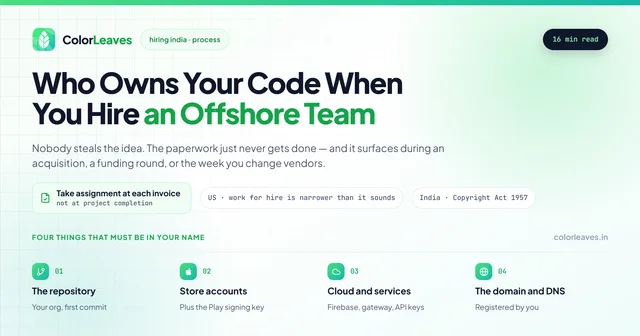
The repository should be yours from the first commit, in an organisation your company owns with the developers added as collaborators. Not the vendor’s account with a promise to transfer at the end. Paying for code does not move copyright by itself, which our guide to who owns your code explains, and a repository you can see also tells you how many people are actually working on your project.
Ask for an installable build every sprint, not a status report. A demo where somebody screen-shares their simulator is not the same thing. A build on your own phone is the only progress report that cannot be written optimistically.
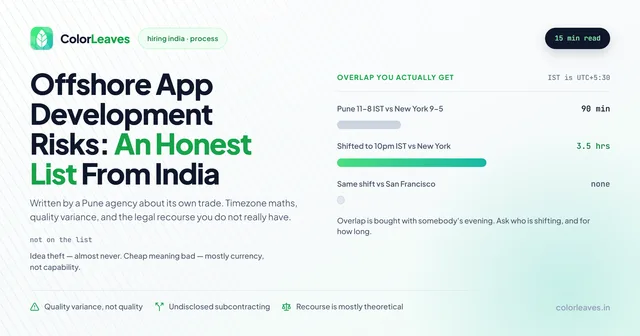
Watch for the first “yes” that should have been a “no”. A team that pushes back in week two will push back in month six when it matters considerably more. Agreeing to everything is not accommodation, it is deferring a hard conversation, and it is on our list of offshore risks as one of the more manageable ones.
Turn up to the demos. Weekly or fortnightly, with the actual engineers rather than an account manager. If you are working with a Pune team you can do this in person, which is most of the reason to hire locally and something most clients never use.
Phase 4: Testing & Quality Assurance
QA is how you confirm the app works, holds up under load, and feels good to use. Don’t skip it.
Types of Testing
4.1 Functional Testing Verifying features work correctly:
- Test all user flows
- Verify feature functionality
- Check edge cases
- Test error handling
- Validate business logic
4.2 UI/UX Testing Ensuring great user experience:
- Visual inspection
- Navigation testing
- Consistency checks
- Accessibility testing
- Usability testing
4.3 Performance Testing Checking app performance:
- Load time measurement
- Memory usage analysis
- Battery consumption
- Network performance
- Stress testing
4.4 Security Testing Identifying vulnerabilities:
- Data encryption verification
- Authentication testing
- API security checks
- Penetration testing
- Compliance verification
4.5 Compatibility Testing Ensuring broad support:
- Multiple device testing
- OS version testing
- Screen size testing
- Network condition testing
- Third-party integration testing
4.6 Beta Testing Real-user validation:
- TestFlight (iOS) or Play Console (Android)
- Real-world usage scenarios
- Feedback collection
- Bug discovery
- Performance monitoring
Testing Process
- Create test plan: Define what to test and how
- Write test cases: Document specific tests
- Execute tests: Run tests systematically
- Report bugs: Document issues found
- Fix and verify: Developers fix, QA verifies
- Regression testing: Ensure fixes don’t break other features
Deliverables
- Test plan and test cases
- Bug reports
- Test results documentation
- Performance reports
- Security audit report
Timeline
2 to 4 weeks, overlapping with development
QA Best Practices
- Start testing early
- Automate where possible
- Test on real devices
- Include edge cases
- Document everything
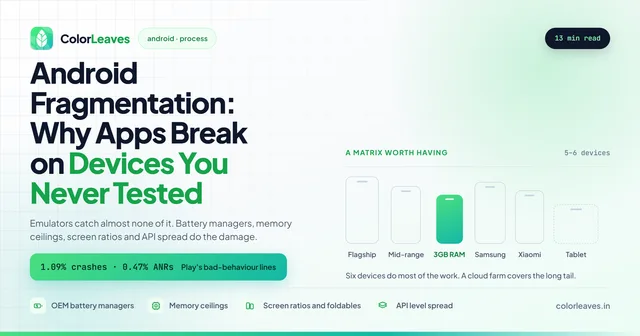
“Test on real devices” is the one that gets skipped and the one that costs most. Emulators reproduce almost none of the problems that generate one star reviews: manufacturer battery managers killing background work, memory ceilings on budget hardware, layouts breaking on unusual screen ratios. Our piece on Android device fragmentation covers choosing a matrix of five or six devices that does most of the work, plus what the Play Console already tells you for free.
Beta deserves genuine calendar space rather than the gap between finishing and launching. Our guide to running a beta on TestFlight and Play internal tracks covers how to get feedback worth acting on, and the short version is that twenty engaged testers who match your real audience beat two hundred volunteers.
One thing to settle before QA starts, not during: what counts as a bug. The workable definition is behaviour that does not match the agreed specification, and everything else is a change request. That sounds obvious until a screen works exactly as specified and the specification was wrong, which happens on every project.
Phase 5: Launch & Post-Launch
Launch day is the start, not the finish. What you do after launch decides whether the app lasts.
Pre-Launch Activities
5.1 App Store Preparation Getting ready for submission:
- Create compelling store listing
- Design app icons and screenshots
- Write descriptions (ASO optimized)
- Prepare preview videos
- Set up pricing and availability
5.2 App Submission Submit to app stores:
- Google Play Console submission
- Apple App Store Connect submission
- Address review feedback
- Complete required declarations
- Set release schedule
The accounts should already exist by this point, registered to your company rather than to whoever built the app. Set them up during Phase 1, because an organisation account on Apple needs a D-U-N-S number that takes two to four weeks to obtain in India. Our guides to the Apple Developer account and the Google Play Console cover the steps, and the publishing cost breakdown covers the fees.
Budget a review cycle rather than a review. Apple rejects roughly a quarter of submissions, and while most rejections are fixable in a day, the resubmission runs on Apple’s schedule rather than yours. A launch plan with zero slack between submission and an announced date is a plan that assumes you land in the 77 percent. Reading why apps get rejected before you submit is considerably cheaper than learning it afterwards.
5.3 Launch Plan Coordinating the release:
- Marketing coordination
- PR activities
- Social media announcements
- Stakeholder communication
- Support team preparation
Post-Launch Activities
5.4 Monitoring Watch app performance:
- Crash analytics
- Performance metrics
- User behavior tracking
- Server monitoring
- Review monitoring
5.5 User Feedback Gather and respond to feedback:
- Monitor app store reviews
- Respond to user queries
- Collect feature requests
- Identify pain points
- Prioritize improvements
5.6 Updates and Maintenance Keep the app healthy:
- Bug fixes
- Performance improvements
- Security updates
- OS compatibility updates
- Feature enhancements
Post-launch maintenance isn’t optional. It’s an ongoing commitment. Both stores change their requirements annually, so every app needs at least one compliance release a year before a single feature is added. Budget 15 to 20 percent of the build cost per year, which our app maintenance cost guide breaks down. Our app maintenance and support services cover bug fixes, OS compatibility updates, performance work, and security patches, so your app keeps running well long after launch day.
Agree this before the build starts rather than at handover, when the team has already moved to other work. A proposal that ends at launch has quietly made all of it your problem, and retro-fitting a support arrangement costs more than keeping one person engaged would have.
Use a staged rollout for the release itself. Both stores support it: Play by percentage, Apple across seven days, and both let you halt. Problems that need scale to appear then surface at 5 percent of users where you can stop, rather than at 100 percent where you cannot.
App Store Optimization (ASO)
Improve visibility and downloads:
- Keyword optimization
- Regular description updates
- Encourage positive reviews
- A/B test store assets
- Monitor rankings
Deliverables
- Published app on stores
- App store assets
- Launch documentation
- Monitoring dashboards
- Maintenance plan
Timeline
Launch: 1 to 2 weeks. Post-launch: ongoing.
The Complete Timeline
Here’s how the schedule usually shakes out for a medium-complexity app.
| Phase | Duration | Overlap |
|---|---|---|
| Discovery & Planning | 2-4 weeks | - |
| UI/UX Design | 2-4 weeks | - |
| Development | 8-16 weeks | - |
| Testing & QA | 2-4 weeks | With development |
| Launch | 1-2 weeks | - |
| Total | 3-6 months | - |
Working with Color Leaves
As an experienced app development company in Pune, we run this same process on every project.
Our Approach:
- Thorough discovery process
- User-centered design
- Agile development with bi-weekly demos
- Rigorous quality assurance
- Complete launch support
What Sets Us Apart:
- 10+ years of experience
- 50+ successful app launches
- Dedicated project managers
- Transparent communication
- Post-launch support
Ready to get started? Contact us for a free consultation and project assessment.
If you are still choosing who to work with, our guide to choosing a mobile app development company covers what to ask, and our list of app development companies in Pune includes competitors because a shortlist of one is not a shortlist. Prefer to build the team in-house? Hiring app developers in India covers the process, what it costs to hire covers the rate bands, and our interview questions cover the screening.
Further Reading
Just starting out? Our beginner’s guide to building your first mobile app breaks the process into 10 steps you can act on. For budgeting, see the complete app development cost guide and our realistic timeline guide. Building an e-commerce app? There’s a dedicated e-commerce app development cost guide with feature-by-feature pricing.
Conclusion
Good app development runs on a clear process that balances planning, design, engineering, and QA. Every phase counts, and each one builds on the last.
First app or tenth, a proven process tilts the odds in your favor. Work with a team that’s been through it and can steer you around the usual pitfalls.
At Color Leaves, we’ve sharpened this process over 10+ years and 50+ apps. We’d be glad to help bring your idea to life.
Frequently Asked Questions
How long does it take to develop a mobile app?
Most apps run 3 to 6 months from concept to launch. Simple ones can ship in 2 to 3 months. Complex ones can take 6 to 12 months.
What’s the most important phase of app development?
They all matter, but Discovery & Planning carries the most weight. Weak planning is what leads to scope creep, blown budgets, and dead projects.
Can phases overlap?
Yes. Testing often kicks off during development, and design can keep going on later features while the build is already underway.
How involved do I need to be during development?
Stay close to it. Plan on weekly status calls, regular demo reviews, and quick feedback on what we hand over. The more engaged you are, the better the result.
What happens after the app launches?
Monitoring, bug fixes, updates, and steady improvement. Plan for ongoing maintenance, usually 15 to 20% of the initial cost per year.
Does this process change by industry?
The five phases hold. What changes is how much weight discovery carries and what testing has to prove. Regulated categories like fintech and healthcare front-load far more into planning because compliance shapes the architecture. Categories with heavy logistics, like on-demand and ecommerce, spend more in development because they are really three connected products rather than one.
What does this whole process cost?
For a medium-complexity app in India, generally ₹8 to 20 lakhs across all five phases, though the range is wide and driven by feature list rather than by category label. Our app development cost guide breaks it down by feature, and the Pune, Bangalore and Mumbai comparison explains why the same build prices differently by city.