An Android app that works perfectly on the developer’s phone and falls apart in the hands of real users is not a rare outcome. It is the default outcome, and it is the single biggest difference between building for Android and building for iOS.
The reasons are specific rather than mysterious. Here they are, along with what actually catches them.
This matters more if you’re shipping to India, Southeast Asia, Africa or Latin America, where the median handset is nothing like the one your designer carries. It matters less if your users are all on recent iPhones. Most teams find out which situation they’re in after the reviews arrive.
Key Takeaway: Emulator testing catches almost none of the problems that generate one star reviews. The four that matter are OEM battery managers killing background work, memory ceilings on budget hardware, layout assumptions that break on real screen ratios, and API level spread. All four need physical devices or a device farm.
OEM Battery Managers, the Biggest One
Samsung, Xiaomi, Oppo, Vivo and others each layer their own aggressive power management on top of Android. Background work that runs faultlessly on a Pixel gets killed silently on those devices, often within minutes of the app leaving the foreground.
Users do not report this as a battery optimisation issue. They report it as your app not syncing, not sending notifications, or losing their data. The review says the app is broken, and from where they sit it is. This is the quiet reason apps that depend on background sync, like field and factory floor tools or transit apps tracking a vehicle, fail in ways their developers cannot reproduce.
The mitigations are partial and worth knowing. Use WorkManager rather than raw background threads or naive services, because it is designed to survive across these conditions. Where work genuinely must continue, a foreground service with a visible notification is far harder for the system to kill. For anything time-critical, push messages rather than polling, so the server drives the work instead of your app trying to stay awake.
Then test on an actual Samsung and an actual Xiaomi. There is no substitute, and no emulator reproduces it.
Memory Ceilings on Cheap Hardware
A device with 2GB of RAM behaves nothing like the flagship on a developer’s desk. Screens that feel smooth in the office stutter or get killed outright in the field.
The usual causes are consistent. Loading full-resolution images into a scrolling list. Holding Activity references in objects that outlive them. Leaking coroutine scopes. Caching aggressively without bounds. Every one of these passes testing on good hardware and fails quietly on cheap hardware, which is what a large share of Android users actually carry.
Image-heavy products feel this first. A shopping app with a product grid is doing exactly the thing that kills 2GB devices, and the fix is nearly always in how images are decoded and cached rather than anywhere in the business logic.
Profiling is the only reliable answer, because these problems do not reproduce where most developers work. Android Studio’s memory profiler on a genuinely low-end device tells you more in an afternoon than a week of reasoning about it.
Screen Sizes That Are Not a List
iOS has a manageable set of screen dimensions. Android has a continuum, plus foldables that change dimensions while your app is running.
Layouts built around a fixed aspect ratio break visibly. Text that fits on the design device wraps awkwardly elsewhere. Buttons drift under the system navigation bar on devices with different insets. None of this is difficult to avoid, but all of it requires building responsively from the start rather than retrofitting after somebody complains. It’s really a design decision more than an engineering one, and it gets made the moment somebody hands over a single fixed-width mockup.
Ask your designer for the smallest screen you intend to support, not the prettiest. If the layout survives a 5 inch display at 320dp wide, everything above it is straightforward.
Foldables deserve a specific mention because they trigger configuration changes mid-session. An app that loses state when the device unfolds looks broken in a way users notice immediately.
API Level Spread
Android users update far more slowly than iPhone users, so supporting several API levels at once is normal rather than exceptional.
Each level supported downward carries a cost in compatibility shims and testing. The decision about how far back to go should come from your analytics rather than from a number somebody typed once. If the app is new and you have no analytics, pick from your target market and revisit once real numbers exist.
Running in the other direction, Google raises the target API level requirement annually. Apps that miss the deadline stop being discoverable to new users on current devices. Every Android app needs at least one compatibility release a year purely to stay compliant, before a single feature is added. Any development proposal that ends at launch has quietly made that your problem, and the ongoing maintenance cost is where it lands.
Price that release into the first year rather than discovering it in month eleven. A support arrangement that covers compliance releases costs less than an emergency re-engagement with a team that has moved on to other work.
What the Play Console Already Tells You
Most teams pay for testing they could have had free, because nobody opened the Play Console tabs that were already collecting the data.
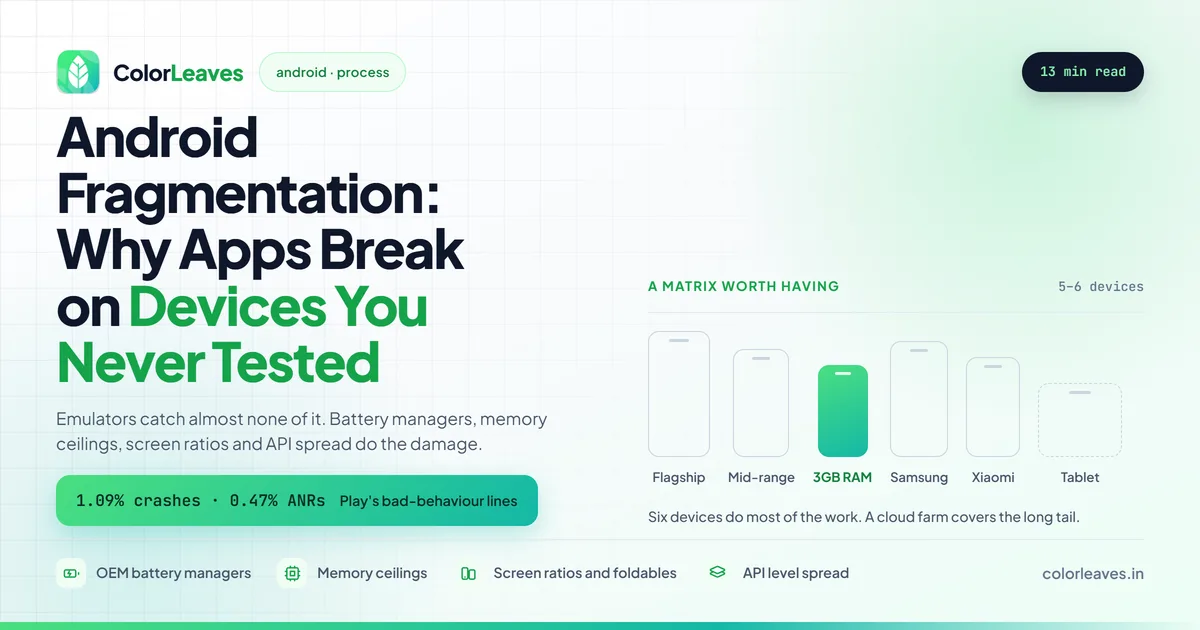
Android vitals reports crash rate and ANR rate from real installs, broken down by device model and Android version. This is the single most useful screen in the product. It tells you which of your users are having a bad time, on which hardware, without you owning any of it. Google sets bad behaviour thresholds at 1.09 percent for crashes and 0.47 percent for ANRs. Cross either and your store ranking suffers, which turns a quality problem into a distribution problem.
The pre-launch report runs every upload through a set of real devices in Google’s lab automatically. It crawls the app, screenshots each screen at several resolutions, and reports crashes, performance issues and accessibility problems. It costs nothing and runs whether you look at it or not. Plenty of teams have never opened it.
Reach and devices shows the actual install base by model, RAM tier and Android version. Once you have a few thousand installs this replaces guesswork about which devices to buy.
If you haven’t set the account up yet, our Play Console setup guide covers the registration steps, and the publishing cost breakdown covers the fees on both stores.
Building a Test Matrix That Is Worth Having
The goal is not testing everything, which is impossible. It is testing the right small set.
Start from your own analytics if the app exists. The top ten devices usually cover a large majority of your users, and that is where physical testing belongs. If the app is new, take the equivalent list for your target market instead.
Cover the spread deliberately rather than the top of it. One current flagship, one mid-range device from two or three years ago, one genuinely low-memory device, at least one Samsung and one Xiaomi for the battery manager behaviour, and one tablet if tablets matter to you. That is roughly five or six devices doing most of the work.
Then use a cloud device farm such as Firebase Test Lab for the long tail. Automated instrumented tests running across a wide matrix in CI catch the layout and crash issues that only appear on hardware nobody owns.
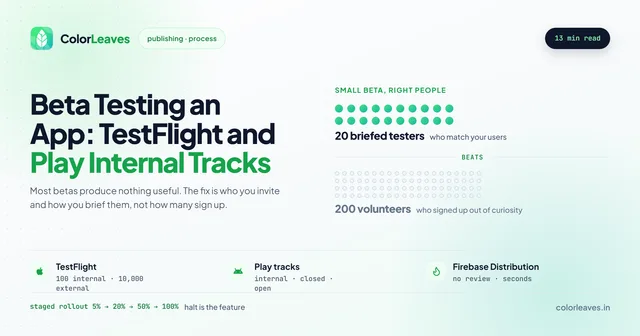
Before any of that, get builds in front of humans. A Play internal testing track puts a real build on real phones belonging to real people within minutes, and the devices your own team already carries are more varied than any matrix you would have designed.
The failure mode to avoid is testing exclusively on emulators. They are useful for rapid iteration and nearly useless for the four problems above.
What the Device Mix Actually Looks Like in India
If your users are Indian, the matrix above needs different devices than a US-focused list would suggest, and this is the part most offshore briefs get wrong in both directions.
Xiaomi, Realme, Vivo and Oppo together hold most of the Indian market, and all four run heavy custom skins with aggressive power management. Samsung is large but nothing like as dominant as it is in the US. Pixel share is small enough to be a rounding error, which matters because a Pixel is what most developers test on.
RAM sits lower than Western teams expect. Devices with 4GB are common and 3GB is still in active use, so a memory budget set on an 8GB flagship is not a budget at all. Products built for reach feel this hardest. Education apps are the clearest case, because the students you most want to reach are on the cheapest hardware in the market.
Android version spread runs wider too, because handsets stay in service longer and mid-range models stop receiving updates after two years. Supporting one or two levels further back than you would for a US-only audience is normal.
Connectivity is the other half of it. Assume intermittent connections rather than absent ones, which is a harder problem. Requests that hang rather than fail cleanly are the most common cause of an app that feels broken while every server metric looks healthy.
None of this makes Indian users harder to serve. It makes them a more honest test of whether the app is actually well built. Teams that ship well here tend to ship well everywhere, which is one of the less obvious arguments for building with an Indian team rather than despite it. Constraints your developers live with daily are constraints they design around by reflex.
What Testing Properly Actually Costs
Real numbers, because this line item gets cut first when it is left vague.
Six physical devices bought deliberately runs somewhere around 60,000 to 100,000 rupees, or roughly 700 to 1,200 dollars, and they last three to four years. Buy them used where it makes sense. A three year old mid-range handset is exactly the device you want to test on, and it costs a fraction of a new one.
Firebase Test Lab includes a free daily allowance and charges by the device hour after that. For most teams this stays inside a few thousand rupees a month, and it’s cheaper than the engineering time spent reproducing a bug on hardware you don’t have.
The real cost is time. Budget somewhere between 15 and 25 percent of Android engineering effort for verification across devices, and treat any estimate that doesn’t contain that line as incomplete. Our breakdown of app development costs in India puts these figures against the rest of a build.
If you’re at the MVP stage, you can cut this down honestly: pick three devices instead of six, skip the farm, and rely on the pre-launch report. What you cannot do is skip it entirely and call the result tested.
What This Means for Your Timeline
Android testing takes longer than iOS testing, and estimates that treat them as equivalent are wrong.
It is not that Android development is slower. It is that verification is genuinely broader, and the work of confirming behaviour across a device matrix is real work that has to sit somewhere in the plan. Teams that discover this late compress testing to make the date, ship, and then spend the following month firefighting reviews.
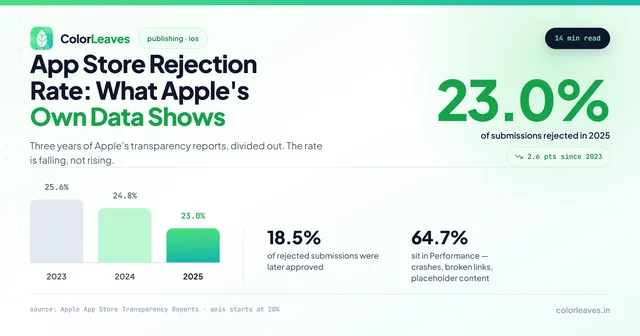
Worse, a rushed Android release is the one most likely to come back from review. Several of the most common store rejection reasons are things a device matrix would have caught first, and the rejection rate data shows how much of a release schedule that resubmission cycle eats.
Build it into the estimate instead. Our app development timeline guide covers where this fits in a realistic schedule, and the full development process shows which phase this work belongs to.
Frequently Asked Questions
Can we skip physical devices and use only a cloud device farm?
For most projects a farm covers the long tail well, but you still want a handful of physical devices for anything involving the camera, sensors, battery behaviour or day-to-day development. Farms are excellent for automated runs and awkward for exploratory testing.
How many Android devices should we buy?
Five or six covers most needs if chosen deliberately: a current flagship, a mid-range device a few years old, a low-memory device, a Samsung, a Xiaomi and optionally a tablet. Buying twenty rarely helps more than choosing six well.
Does cross-platform development make fragmentation better or worse?
Neither, mostly. React Native and Flutter both render on the same hardware and inherit the same OEM behaviours. What cross-platform saves you is writing the fix twice. Our cross-platform overview covers where the real savings sit, and the Flutter and React Native comparison is worth reading if you haven’t picked yet. Flutter draws its own widgets, which makes rendering more consistent across OEMs but means you inherit nothing when the platform’s own components improve.
Why does our app work on Android 14 but crash on Android 10?
Usually an API introduced after your minimum level being called without a version check, or a permission model that changed between releases. Both are caught by testing on a device at your actual minimum rather than only at the top.
Is fragmentation getting better over time?
Slowly. Screen and API fragmentation has eased somewhat as the ecosystem matured. OEM battery management has not improved and is arguably worse, because each manufacturer keeps adding its own layer.
How do we tell whether a developer actually knows this?
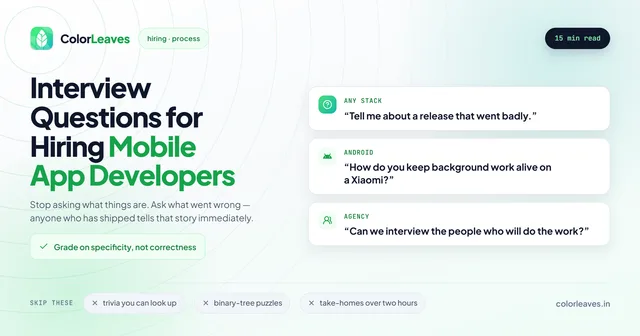
Ask them to describe a bug that only appeared on one manufacturer’s devices, and listen for whether the story has specifics in it. Anyone who has shipped Android to a broad audience has that story ready. Our list of interview questions for mobile developers has more in this shape.
Getting This Right
Most of it comes down to whether the team you hire has shipped to real users or only built for reviewers. Ask any prospective partner which devices they test on and how they chose them, because the answer sorts the field quickly. It’s one of the more useful questions in choosing a development company, since it cannot be answered convincingly by anyone who hasn’t done it.
Our Android app development in India page covers how we agree a device matrix and where physical testing ends and the farm begins, and the Pune team page has the same for clients who want to visit. StockGenie is a live example, a React Native build holding a 4.5 rating on the Play Store, where getting real-time data right across patchy connections was most of the work.
If you would rather put a Kotlin engineer inside your own team, hiring Android developers in India covers that route, and the wider hiring guide covers the contract terms worth settling first. Or just tell us what you’re building and we’ll say what the device matrix should look like for your users specifically.